
Notion Template
Spark Office
The all-in-one Notion template for Office Managers
Gain clarity, efficiency, and peace of mind with a centralized, ready-to-use space designed for your daily life as an OM.
Save an average of 2 hours per day on your tasks (and mental load) with Spark Office.
Template created by Marie-Morgane CHABERT, Certified Consultant and Notion Ambassador, former Office Manager, and VIP partner of BOOM, the French National Association of Office Managers.



Why this template?
Are you juggling service providers, team requests, HR documents, and supply orders?This template helps you regain control without exhausting yourself.Designed for small businesses, SMEs, and startups, it structures everything you manage (often alone) in a simple, accessible, and organized space.All information is interconnected for easy navigation and dynamic updates throughout the space.
What you can do with it:
Centralize all the information you need for your job.
Never forget a deadline or supplier again.
Give your teams more autonomy with clear and comprehensive resources.
Be more relaxed in your day-to-day management.
Limit the number of tools you use and the time wasted switching between them.
Customize the template for different items (everything is explained in the user guide provided).

What do my testers think?
Laure
This template is a real gem! It brings together all the elements that an Office Manager needs to keep track of, in a connected and automated way. In one place, you'll find your to-do list, team information, inventory needs, and much more! It's very visual and super easy to use. In short, it's THE dashboard that all OMs should have!
Marie
Great template that clearly meets my needs! Having taken on the role of Office Manager a few months ago, I needed structure and ideas on how to get organized. This template came at just the right time!
Joana
I started using Notion in January 2025, and this template will save me a lot of time on what I plan to do with the tool. It also allows me to see all the possibilities that exist on Notion, which I never even imagined! The videos and guide are super useful for beginners!
A global view
Dashboard
A home page where you can view the most important information at a glance and quickly perform certain actions without having to navigate between different tools.
Organization
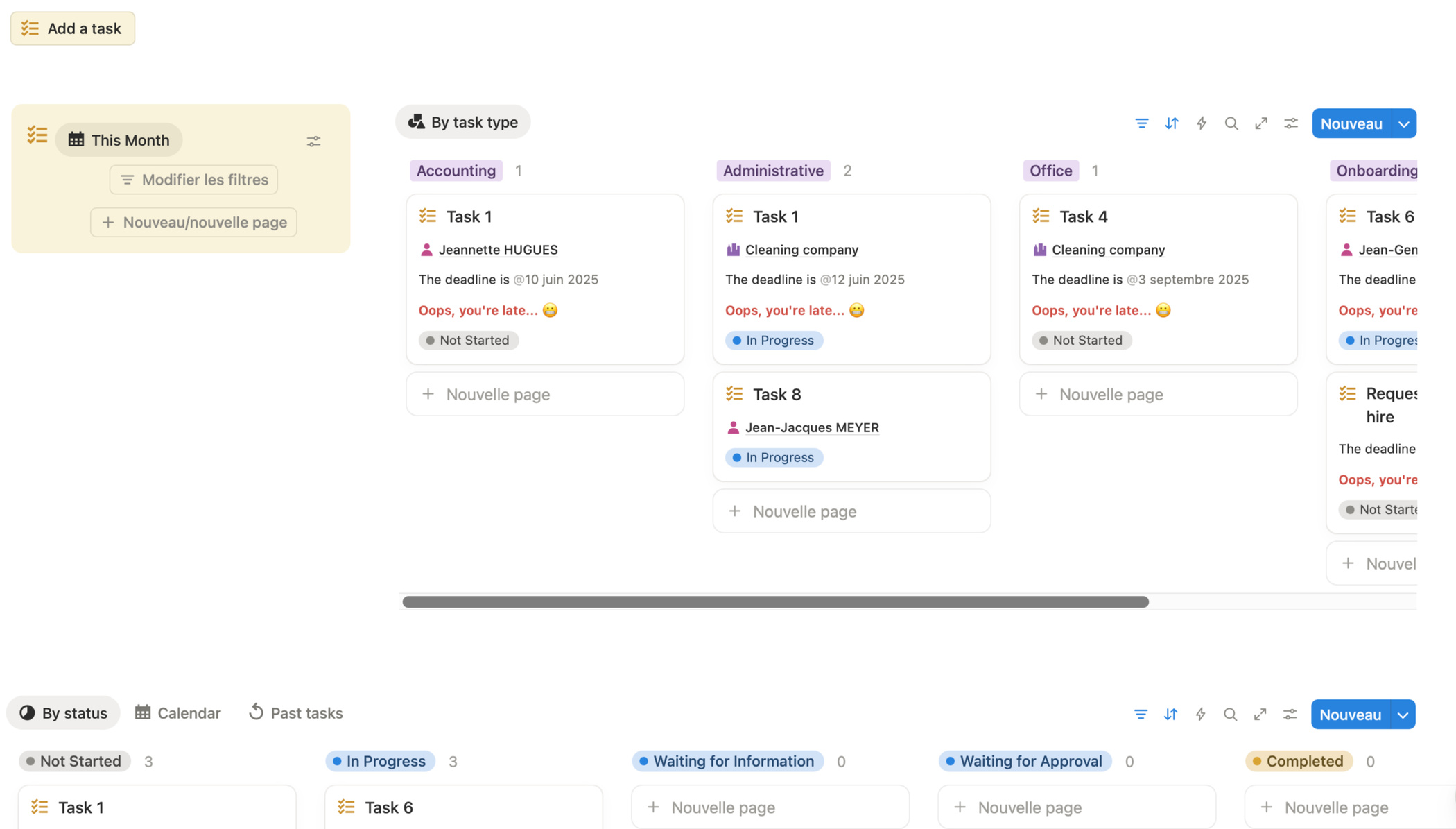
To Do
A centralized, clear, and actionable task list with different views based on your preferences. You know what to do, when, for whom, and with whom.
Support Services
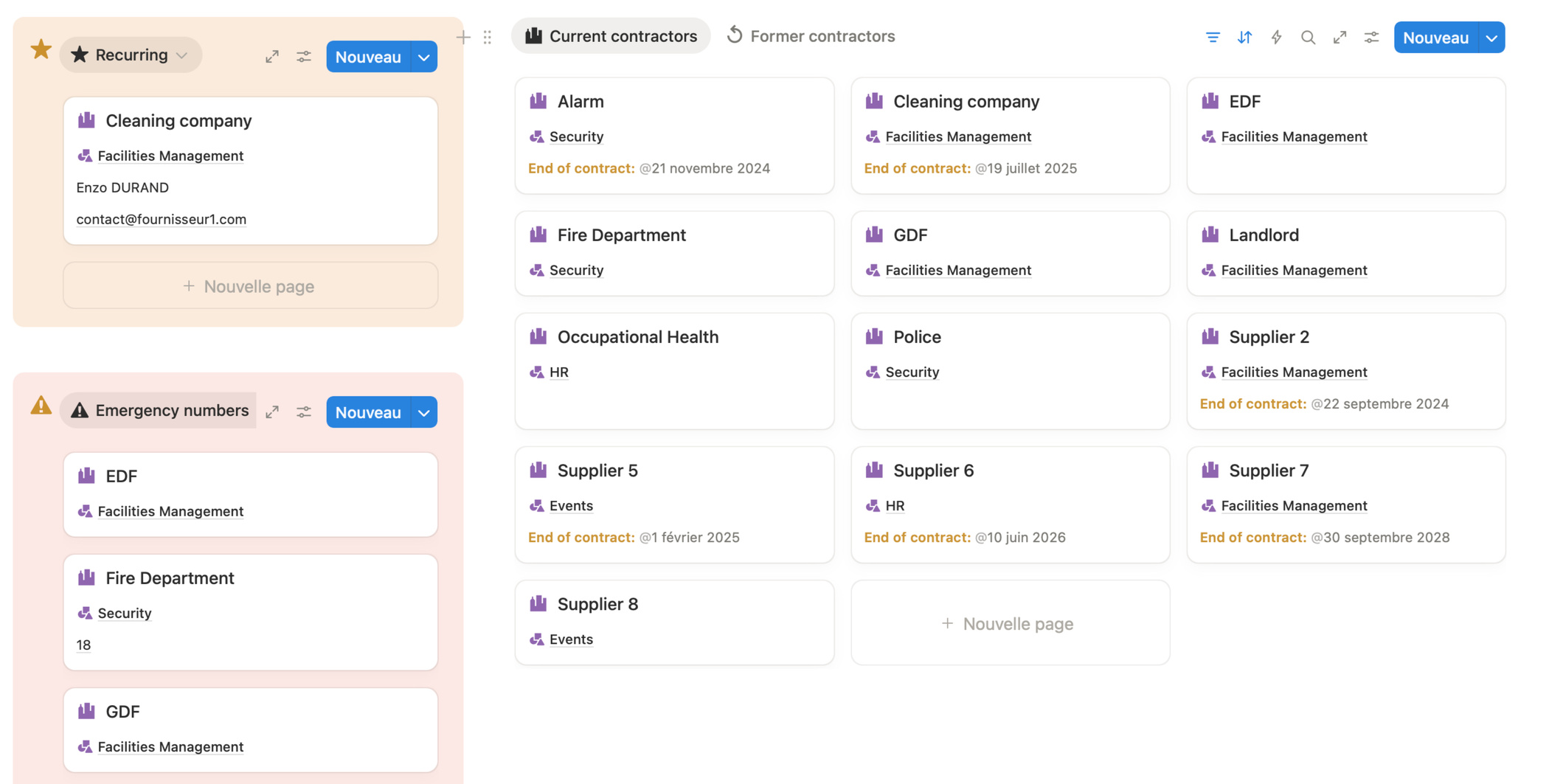
List of service providers
All the information about your service providers (contact details, contract terms, meetings) in one place, with your recurring and/or favorite service providers highlighted.
Human Resources
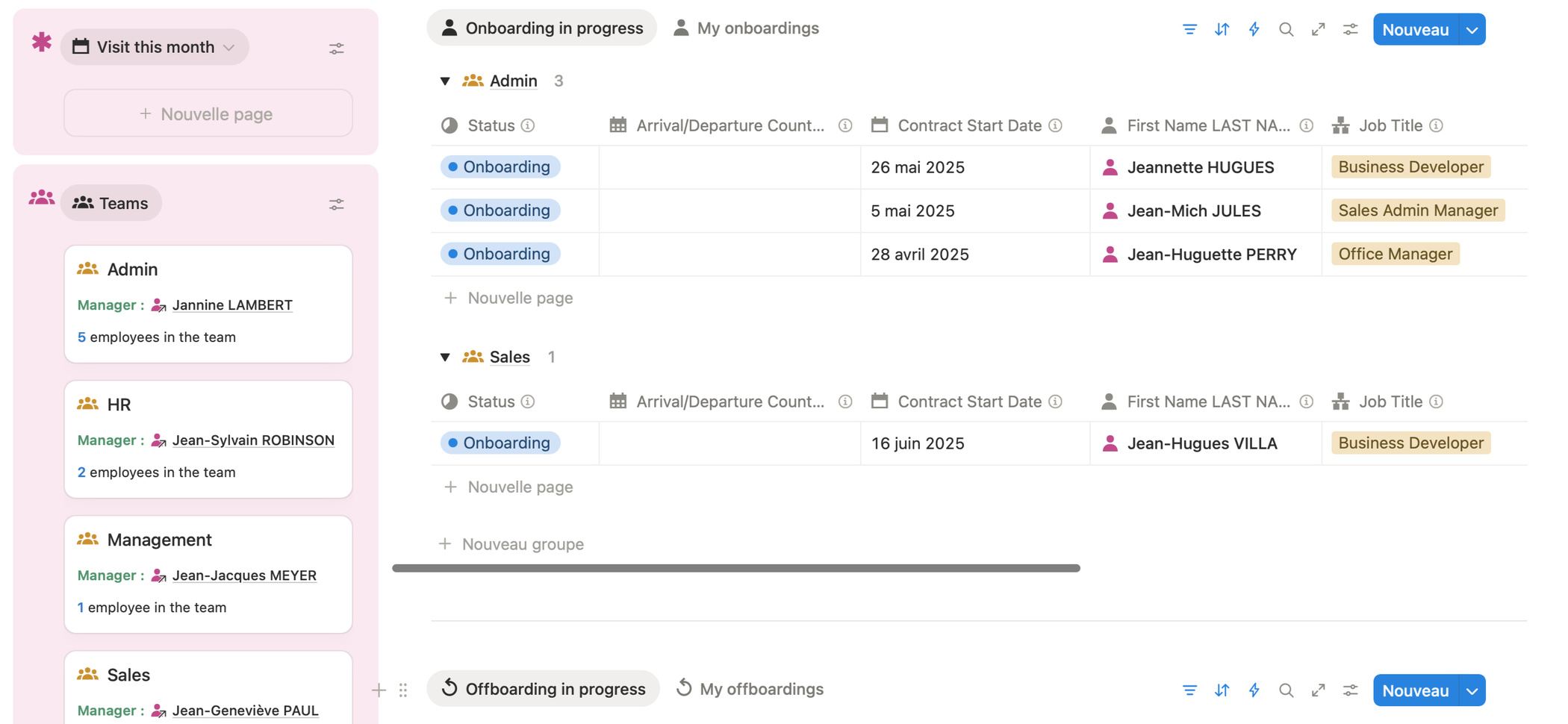
Personnel register
A clear overview to track information about each employee: personal details, contract, team, medical appointments, birthdays, and job anniversaries.
Organization
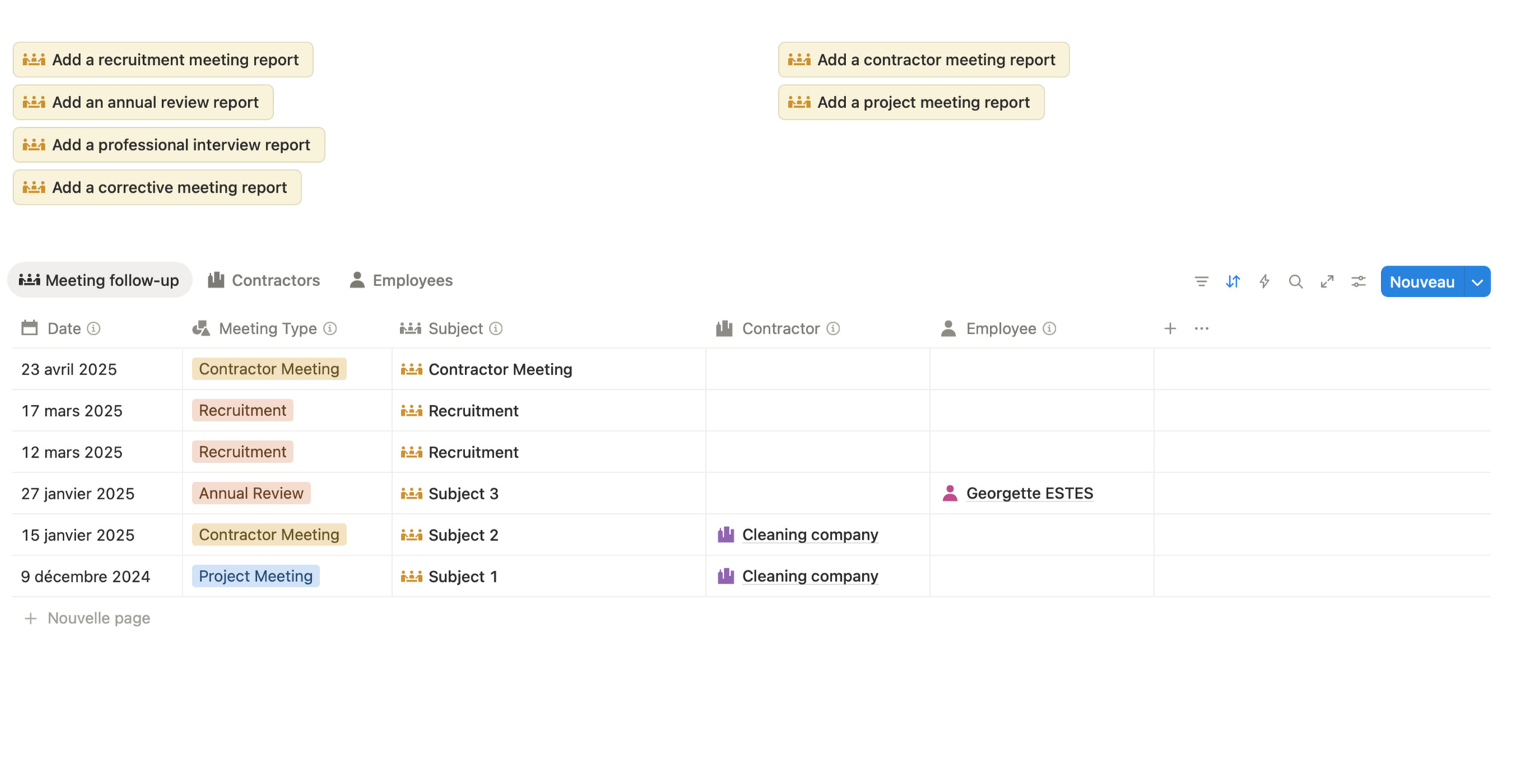
Meeting minutes
A space to archive meeting minutes with employees and service providers, track decisions, and ensure nothing is overlooked, all using predefined templates.
Organization
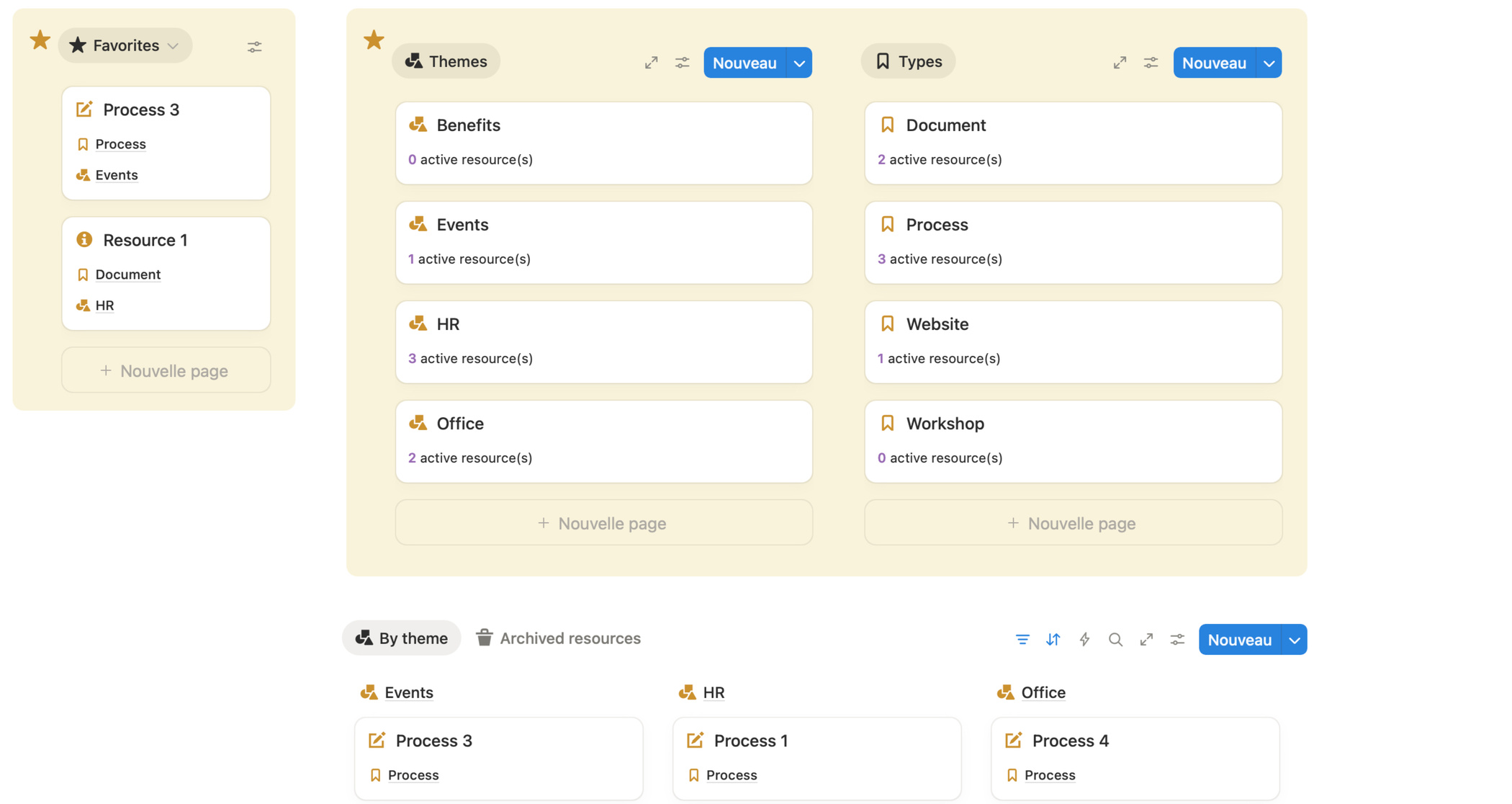
OM resources and processes
A resource center with procedures and documents useful for your position. Be prepared if you recruit a partner, go on leave, are sick, or leave the company.
Support Services
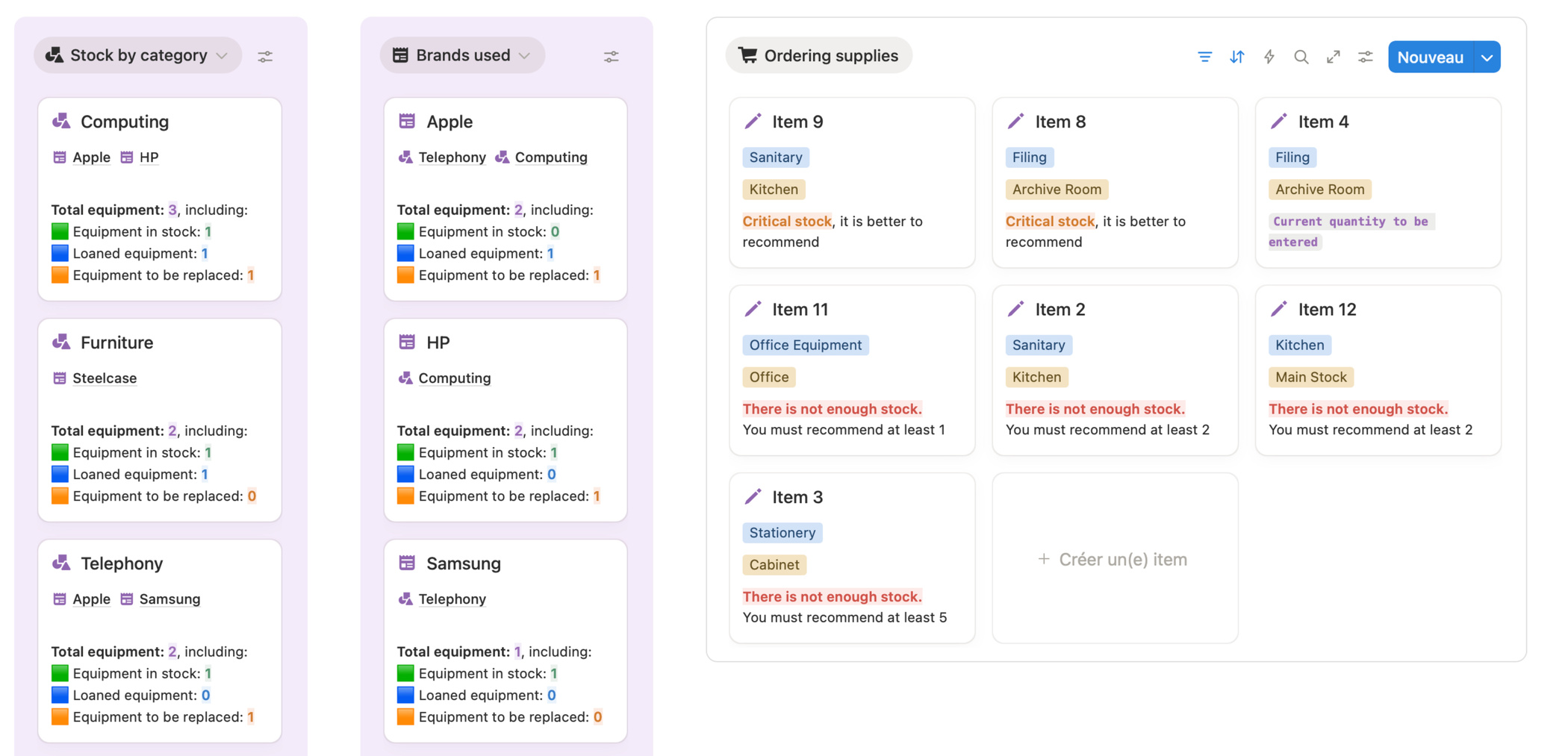
Inventories
A dashboard to track your equipment, inventory, and needs, whether they are related to computers, phones, furniture, or supplies.
Human Resources
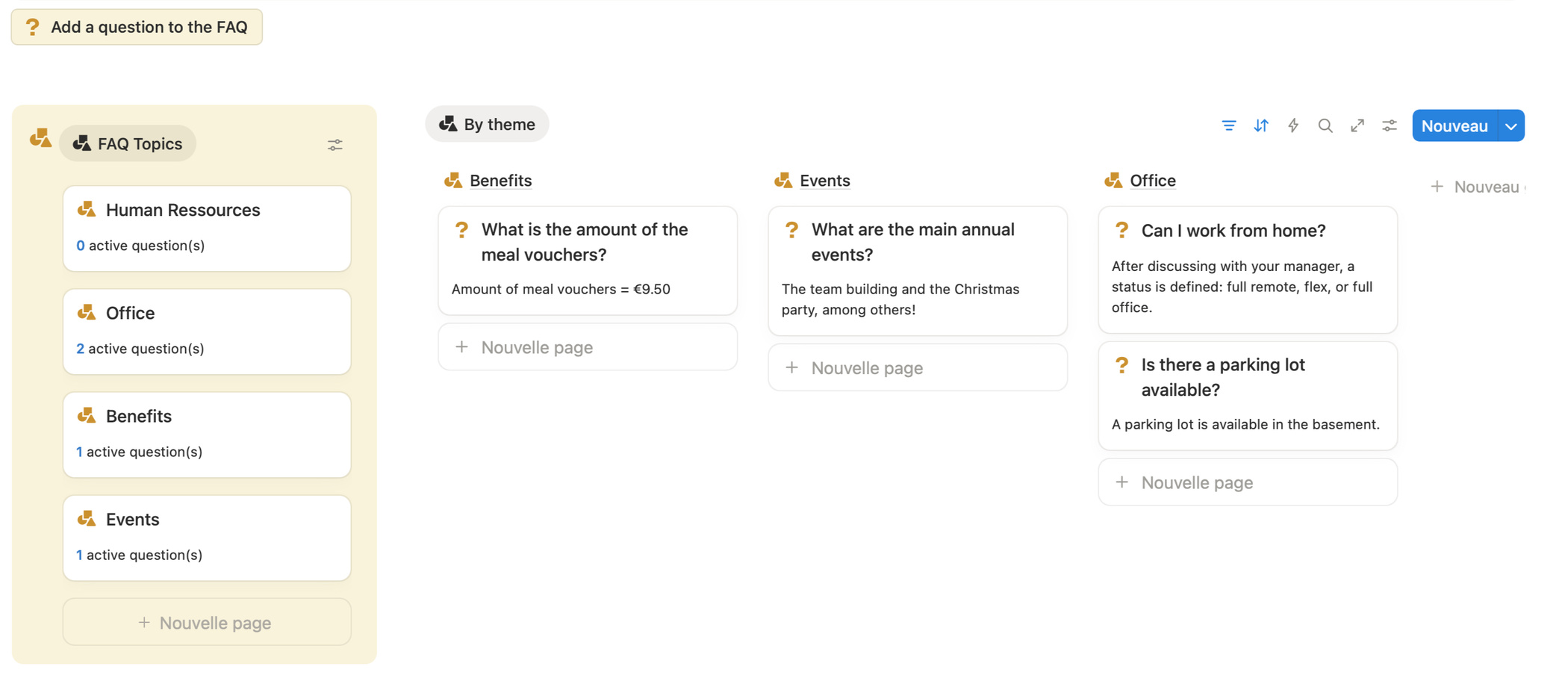
Employee FAQs
A comprehensive, up-to-date database of answers to frequently asked questions from teams, sorted by topic: schedules, procedures, tools, habits, processes, etc.
Who is this model for?
Office Manager in a small or medium-sized business
Executive Assistant in a small or medium-sized business
Administrative Officer in a small team
Manager who also handles administrative tasks
No need to be an expert in Notion: the template is guided and documented.

Retail price
.
173$ excl. tax
An all-in-one price:
The Notion template with sample data to visualize the layout
The empty Notion template to move to your space, ready for you to fill in
A detailed user guide to help you get started
Tips for customizing your space and making it evolve with you
FAQ
How can I access the template?
There is a button here that will take you directly to the Notion Marketplace page. You can purchase the template and pay by credit card via Stripe.Will I receive an invoice?
Yes, you can go to the Notion Marketplace and view your purchased templates in the top right corner. You can then download the PDF invoice in dollars issued by Stripe.If I am not satisfied with the template, can I get a refund?
You can request a refund from Notion within 14 days. But please feel free to contact me because I welcome constructive feedback.If I get a refund for the template, will I still have access to it?
The way the Notion Marketplace works means that when a refund is issued, the template disappears from the workspace where it was downloaded.Can I share the template with other people? No, once you have purchased and downloaded it to your account, if you invite someone to view the template, they will not be able to duplicate it in their account.
Is the template suitable for other professions? Whatever your profession, as long as this template meets your needs, you can use it.
Can I customize the template?
If you are comfortable with Notion, of course you can customize it! I indicate some possible customizations in the user manual.Can you help me with customization?
With Spark Flow Admin, I can help you customize the template and/or create a personalized space.

About me
I am a certified Notion consultant, having worked as an office manager for five years.
With Spark Flow Admin, I help teams get better organized using simple and effective tools.I designed this template as the space I would have liked to have had when I was an OM, and I tested it with several OMs at BOOM, with whom Spark Flow Admin has a VIP partnership.
And if you want to go even further, I help companies structure themselves with a customized space, and I train them in how to use the tool.



Want to try out Notion's AI for 3 months and have a work email address?
You can use my affiliate link!
Spark Flow Admin Terms and Conditions
© 2025 Spark Flow Admin - All rights reserved.
Image credits:
- Notion Spark Office template
- Freepik - Vectormitay1